BIM coordination is where a project either catches its conflicts on a screen or pays for them in the field. Architects, structural engineers, and every trade model their scope separately, and those models have to be combined and checked before a pipe runs through a beam in real life. The category of software that does this work is mature, but the options have diverged enough that choosing well in 2026 takes more than picking the most familiar name.
The hard part is rarely finding a clash; it is trusting the models being compared. Coordination inherits whatever quality the source models carry, and even reality-derived models have gaps. A review of scan-to-BIM workflows identifies occlusion from workers, materials, and equipment as a central limitation when models are built from site capture, a reminder that a coordination platform is only as reliable as the models feeding it.
What BIM coordination has to do well
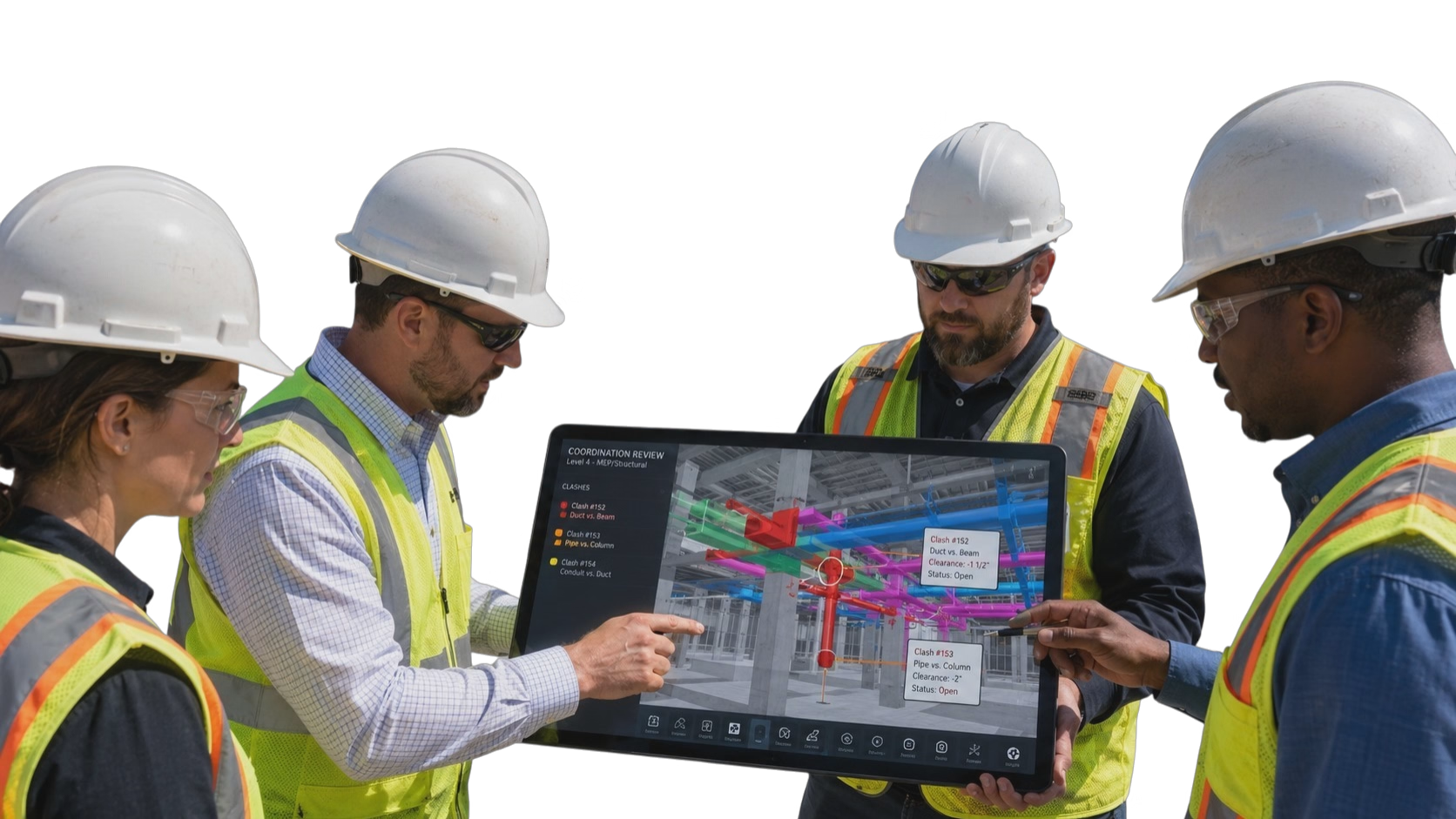
The core loop is federate, detect, assign, resolve, and verify. Models come together, conflicts get found, each one is routed to the right party, and the fix is confirmed in the next round. The payoff is avoided rework and avoided defects. A 2025 review of construction defect case studies found that a large share of defects trace to poor coordination and validation gaps, which is the entire economic case for catching those conflicts on a screen first. What matters is the conflicts that never reach the field, far more than the raw clash count.
The difference between platforms shows up in the unglamorous parts: filtering thousands of raw clashes down to the ones that matter, tracking each issue to closure, and keeping the model federation current as designs change. Coordination also does not end at the model. Research on automated measurement of as-built components shows how captured reality can verify that what gets built matches what was coordinated, closing the loop between the resolved model and the finished work.
The BIM coordination solutions worth knowing in 2026
The tools below are the ones construction and design teams most often evaluate. They are grouped by what each does best rather than ranked from best to worst, because a design-side coordinator and a field-focused contractor weigh these differently.
1. Autodesk Navisworks
Navisworks has been the reference point for clash detection for years, aggregating multi-discipline models into a single federated model for clash tests and design review. Its depth and ubiquity mean most coordinators know it, and it remains a desktop-centric workhorse. Teams that want proven, granular clash control often start here, and accept the heavier, less collaborative workflow that comes with it.
2. OpenSpace BIM+
OpenSpace BIM+ ties model coordination and clash detection to the captured 360 record of the site, so a modeled conflict can be read against what has actually been built. As BIM coordination software, its emphasis is on connecting the coordinated model to field reality, which suits teams already documenting jobsites with OpenSpace that want coordination and as-built context living in one place rather than in separate systems.
3. Revizto
Revizto has grown into a widely used coordination hub by making the process accessible beyond BIM specialists, with real-time model federation and issue tracking that architects, engineers, and trades can all work in. Teams that want coordination meetings and issue resolution to happen in one shared, approachable environment tend to favor it.
4. Solibri
Solibri goes past clash detection into model checking, validating models against rules for quality, code, and constructability rather than only spotting geometric conflicts. It fits teams focused on model quality assurance and standards compliance, and it is often used alongside a clash-focused platform rather than instead of one. Because its checks go beyond geometry, it often becomes the quality gate a coordination process reports into.
5. Autodesk BIM Collaborate
BIM Collaborate brings coordination into the Autodesk Construction Cloud, running automated clash analysis tied directly to the design authoring tools many teams already use. For groups standardized on Revit and the Autodesk ecosystem, keeping coordination in the same cloud is the main appeal.
6. Trimble Connect
Trimble Connect offers an open, multi-format collaboration environment for sharing and coordinating models across disciplines, and it pairs naturally with Tekla and other Trimble tools. It suits teams that value format flexibility and want a neutral space where mixed software can meet. Its neutrality is the selling point for teams wary of committing everything to one vendor.
7. BIMcollab
BIMcollab centers on issue management and coordination built around the open BCF standard, connecting to multiple checkers and authoring tools so issues travel cleanly between them. It appeals to teams that want structured, tool-agnostic issue tracking as the backbone of their coordination process. The open-standard approach makes it a durable choice for teams that expect their toolset to change over time.
8. Dalux
Dalux pairs coordination with unusually strong mobile model access, bridging office coordination and the field so trades can carry the federated model on site. Its free field viewers help it spread across a project, which appeals to teams that want coordination to reach past the BIM room. That field reach is why it often enters a project through the trades rather than the modeling team.
How to choose a BIM coordination solution in 2026
Naming the options is the easy part, and the shortlists overlap heavily. A few practical criteria separate a platform a project relies on from one that generates reports and little else.
- Match it to who coordinates. A design-side team living in Revit weighs authoring integration differently from a general contractor federating models from many subcontractors, so choose for the people running coordination day to day.
- Judge the issue workflow, not the clash count. Finding conflicts is easy; the value is in filtering noise, assigning ownership, and tracking each issue to a verified fix, so weigh how the platform manages resolution.
- Check open-format support. Projects rarely run on one vendor’s software, so strong handling of open exchange formats decides whether every discipline’s model actually makes it into the coordination space.
- Treat it as a quality process. Coordination is one control in a broader quality system, and the ISO 9001 quality management standard builds on a process approach of defined steps, clear ownership, and continual improvement, so favor a platform whose issue workflow reinforces that discipline rather than leaving resolution ad hoc.
- Weigh how far it reaches. Coordination that stays trapped on a desktop in the BIM room helps less than coordination the field can see, so consider mobile access and how easily non-specialists can participate.
- Account for rollout and cost. Licensing, training, and the effort to keep model federation current all add up, so onboarding and vendor support belong in the decision beside the feature list.
The bottom line
There is no single best BIM coordination solution for 2026, because the right one depends on where coordination lives on a given project. A design team deep in Revit values authoring integration, a general contractor federating dozens of trade models values open formats and issue tracking, and a team that documents the jobsite may want conflicts tied to what is actually built.
The strongest programs pick for the people doing the coordinating, judge the issue workflow over the raw clash count, and measure every option by one test: how many conflicts it keeps out of the field. A short pilot coordinating one live area across the actual disciplines involved usually reveals fit faster than any feature comparison.